# How To Find Platform9 Managed OpenStack Version?
## Problem
* The need exists to determine the version of Platform9 Managed OpenStack on which your cloud operates.
## Environment
* Platform9 Managed OpenStack - All Versions
## Answer
1. Login to your cloud at the URL provided by your Platform9 Architect.
2. Click the question mark icon pointed out in the screenshot below and select 'Support'.
faq-pmo-version-pic1correctededited.png
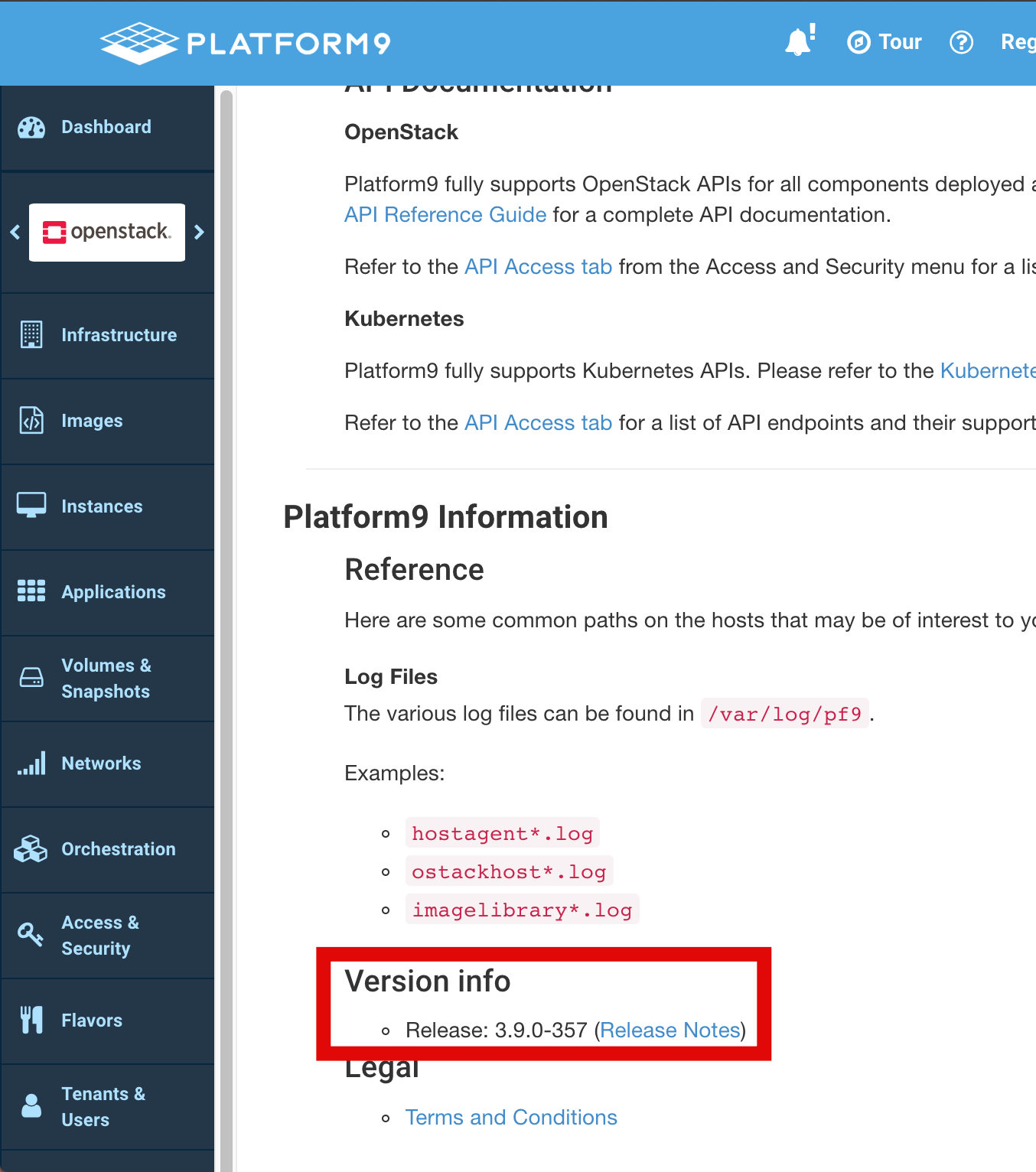
3. Scroll to the bottom of the page to view your current version of Platform9 Managed OpenStack or to see Release Notes for said version.
faq-pmo-version-pic2.png
## Additional Information
See our [Platform9 Docs](https://docs.platform9.com/) page for all available [release notes](https://docs.platform9.com/release-notes/) and further product documentation. Additionally, please refer to our [Support matrix](https://docs.platform9.com/openstack/support/support-matrix-latest) for the Individual component version.